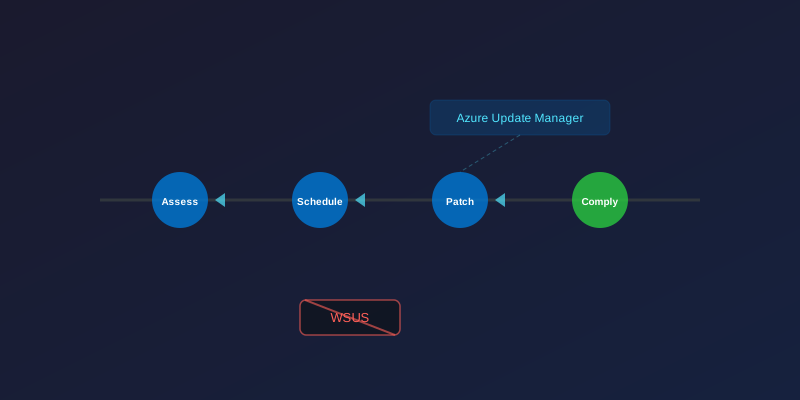
A Common Misconception
I keep seeing people frame Azure Update Manager as a WSUS replacement. It’s not — at least, not directly. What it actually replaced was Azure Automation Update Management (the v1 solution that used Log Analytics workspaces and the Updates OMS solution). That was deprecated in August 2024 and fully shut down on 28 February 2025.
WSUS still works and still has its place, particularly for air-gapped environments and organisations that need granular approval workflows for specific KBs.
What Changed from v1 to v2
The old approach:
- Required an Automation Account + Log Analytics workspace
- Used the
UpdatesOMS solution to collect patch data - Compliance data lived in Log Analytics tables
Azure Update Manager (v2):
- No dependency on Automation Account or Log Analytics — it’s a native Azure platform feature
- Stores data in Azure Resource Graph (assessment: 7 days, installation history: 30 days)
- Uses maintenance configurations for scheduling
- Requires only the VM extension (auto-installed on Azure VMs, installed with Arc agent on hybrid machines)
Key Capabilities
| Feature | Old (Automation Update Mgmt) | Azure Update Manager |
|---|---|---|
| Windows + Linux | ✅ | ✅ |
| Azure VMs | ✅ | ✅ Native |
| Arc servers | Limited | ✅ |
| Requires Log Analytics | ✅ | ❌ (optional for reporting) |
| Requires Automation Account | ✅ | ❌ |
| Data store | Log Analytics | Azure Resource Graph |
| Maintenance windows | Via schedules | ✅ Maintenance configurations |
Setting Up Periodic Assessment
The first step is enabling periodic assessment so Azure actually checks your machines for missing patches. The easiest way at scale is Azure Policy:
# Assign the built-in policy to enable periodic assessment
az policy assignment create \
  --name "enable-periodic-assessment" \
  --policy "59efceea-0c96-497e-a4a1-4eb2290dac15" \
  --scope "/subscriptions/<subscription-id>" \
  --mi-system-assigned \
  --location "uksouth"
Maintenance Configurations
$params = @{
    Name              = "monthly-patch-window"
    ResourceGroupName = "Patching-RG"
    Location          = "uksouth"
    MaintenanceScope  = "InGuestPatch"
    StartDateTime     = "2026-02-01 02:00"
    TimeZone          = "UTC"
    RecurEvery        = "1Month Fourth Sunday"
    Duration          = "03:55"
}
New-AzMaintenanceConfiguration @params
Compliance via Resource Graph
All patch data lives in Azure Resource Graph — query it from the portal, CLI, or any tool that supports ARG:
patchassessmentresources
| where type == "microsoft.compute/virtualmachines/patchassessmentresults"
| extend criticalCount = properties.availablePatchCountByClassification.critical
| summarize totalCritical = sum(toint(criticalCount)) by resourceGroup
| order by totalCritical desc
Optional: Log Analytics for Extended Retention
ARG keeps data for 7-30 days. If you need longer retention for compliance or reporting, you can optionally set up a Log Analytics workspace with Data Collection Rules to collect Windows Update Client event logs or Linux syslog entries — but this is for reporting only, not a requirement for AUM to function.
When WSUS Still Makes Sense
- Air-gapped / disconnected environments with no Azure connectivity
- Granular per-KB approval workflows (AUM is more schedule-based)
- Organisations that need to stage and test specific patches before deployment
For everything else — especially hybrid estates with Azure and Arc-enabled servers — Azure Update Manager is the better path forward.